Keep the client record and the calendar connected.
BodyDeskOne gives service businesses one place to understand who a client is, what is scheduled, what has already happened, and what needs attention next.
Centralized client profiles
Keep contact details, shared notes, documents, and relationship history together. Search and filter the client list so staff can find the right record before booking or responding to an inquiry.
Appointments and booking requests
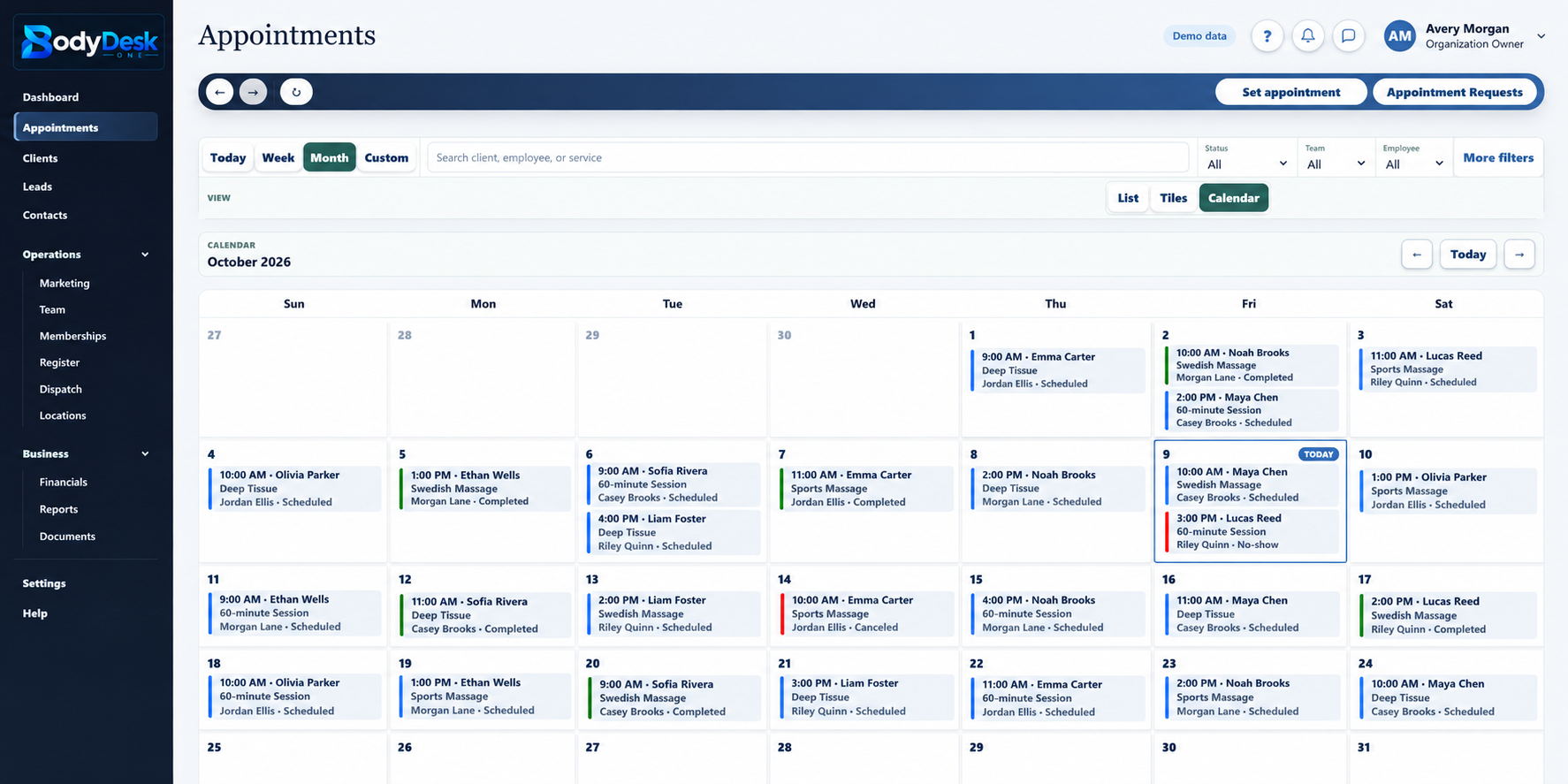
Create appointments, review incoming requests, assign service providers, and track each booking through its status. Separate requests from confirmed appointments so the team knows what still needs attention.
Team and location calendars
Review appointments by team, location, and date. Keep scheduled, active, completed, canceled, missed, and no-show work visible in the same calendar.
Availability and service setup
Organize service offerings, durations, add-ons, booking hours, and service locations. Staff availability and date-specific overrides help the team plan appointments around the people delivering them.
Rescheduling and cancellations
Change appointment times and update service status within the booking record. Keep the client, provider, and appointment context available when plans change.
Confirmations and notifications
Appointment email and request notifications help keep customers and staff informed when the relevant communication service is configured. Review communication history alongside the relationship.
Connected customer portal
Manage a client's portal access from their CRM record. Connected portal conversations give staff another way to respond to customers while keeping the discussion in the shared workspace.
Continuity between visits
Keep the customer's appointment, invoice, payment, and document context close at hand. The next team member can pick up the relationship with a clearer understanding of previous activity.
BodyDeskOne connects leads, contacts, marketing attribution, pipeline stages, ownership, and follow-up so your team can move interest toward a booked client relationship.
Lead and prospect management
Capture inquiries in a searchable lead list with contact information, interests, sources, and notes. Filter and sort the pipeline as it grows so new opportunities remain easy to find.
Pipeline stages and ownership
Track each lead's stage and assign responsibility for the relationship. Move an opportunity forward with a clear owner rather than leaving the next step to whoever notices it first.
Follow-up tasks and due dates
Add tasks with priorities, due dates, and assigned staff. Update task status and keep conversation notes beside the lead so the team can see what happened and what is due next.
Campaigns and customer outreach
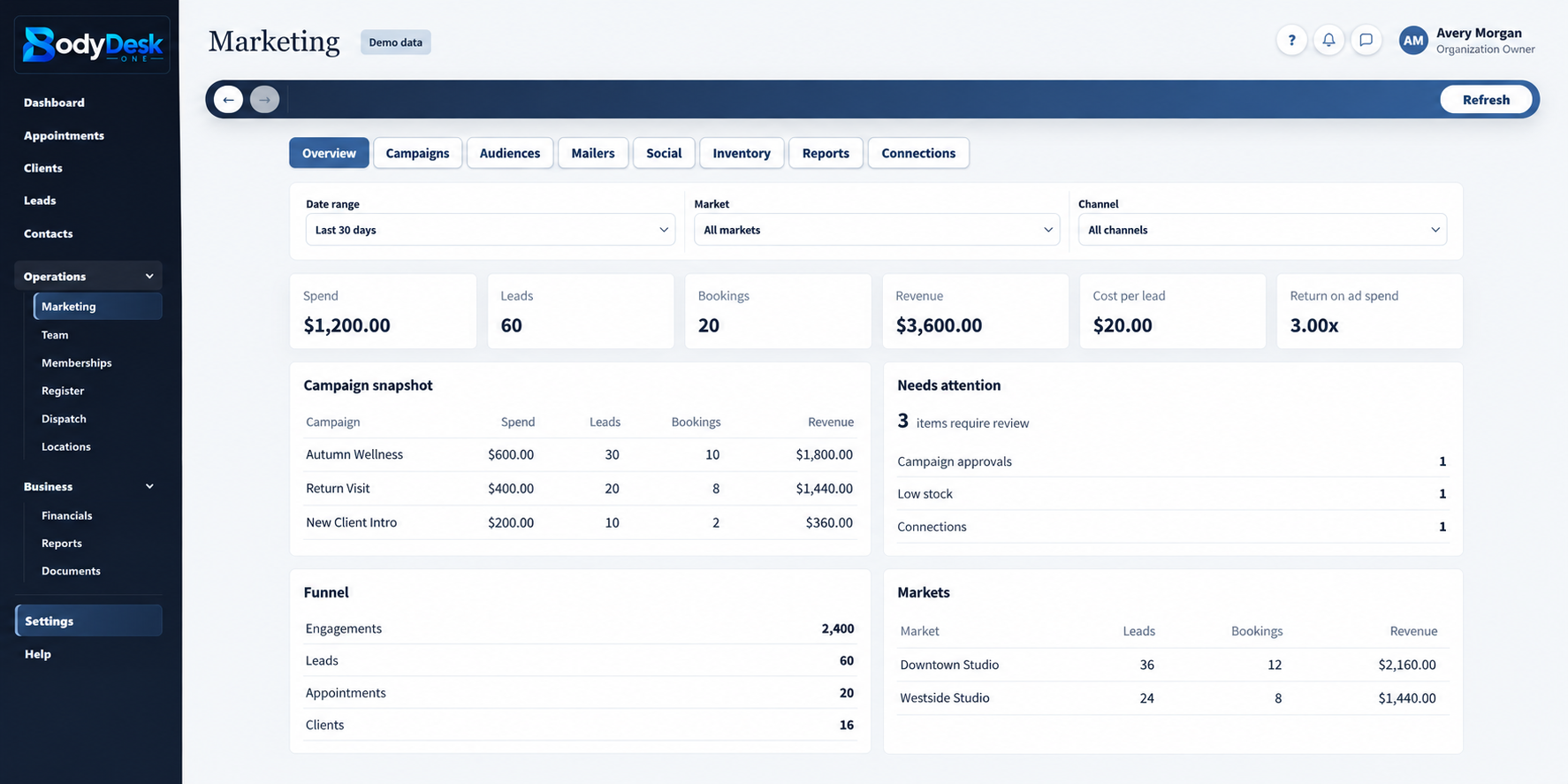
Organize marketing campaigns, audiences, and outreach from the CRM. Email and SMS delivery depend on configured providers and channel permissions, keeping campaign planning connected to the customer record.
Source and campaign attribution
Record the market, source, and campaign behind an inquiry. Bring that context into follow-up and review which marketing activity is creating opportunities.
Communication history
Keep email, SMS, and call activity in the communications workspace when those channels are connected. Thread ownership and read status help staff coordinate responses.
From prospect to client
Preview and convert a lead into a client relationship. Duplicate checks and merge tools help the team maintain cleaner records as new inquiries become ongoing customers.
Memberships and repeat business
Manage membership plans and client memberships to support ongoing relationships. Configured register benefits can connect member pricing, discounts, and rewards to future purchases.
BodyDeskOne brings the operational parts of a service business into the same environment as client and appointment activity, giving the team one shared place to work.
Employees and contractors
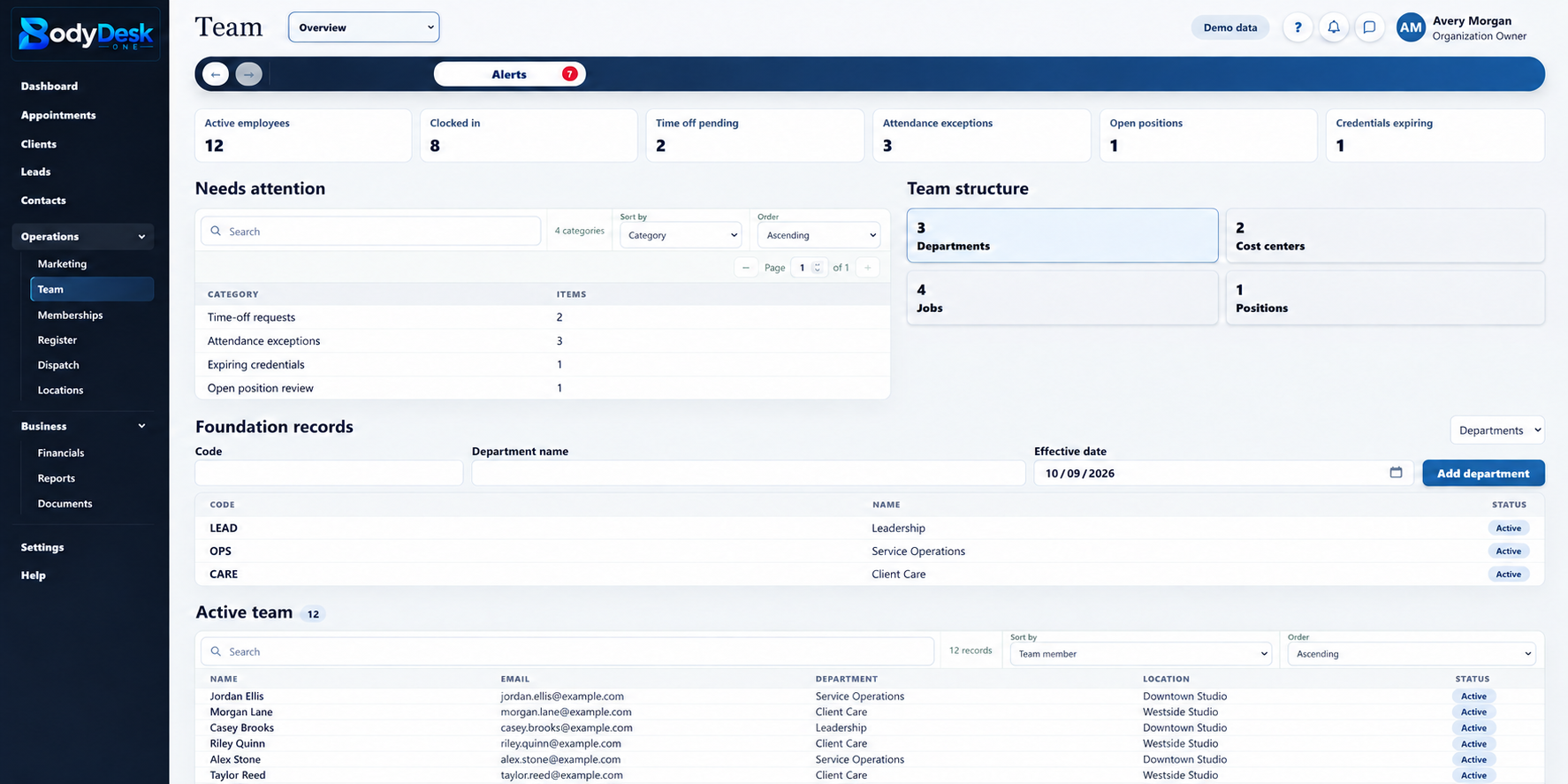
Keep staff profiles, workforce information, and supporting documents together. Organize the people responsible for service delivery alongside the clients and appointments they support.
Staff scheduling and availability
Plan shifts, maintain availability, and review time-off requests. Date-specific overrides and service areas help managers coordinate staffing with the work that needs coverage.
Dispatch and assignment oversight
Review field assignments, offer work to providers, and track responses and job status. Keep dispatch decisions connected to customer and appointment details.
Companion mobile workspace
The optional dispatch and services app connects field personnel to assigned jobs, schedules, customer details, status updates, and team conversations. Mobile access and location features require the appropriate account setup and device permissions.
Location and arrival tracking
Connected tracking sessions and arrival information help managers understand field activity. Location sharing depends on enabled tracking and device permissions, giving dispatch staff context for coordinating the day's work.
Products, services, and inventory
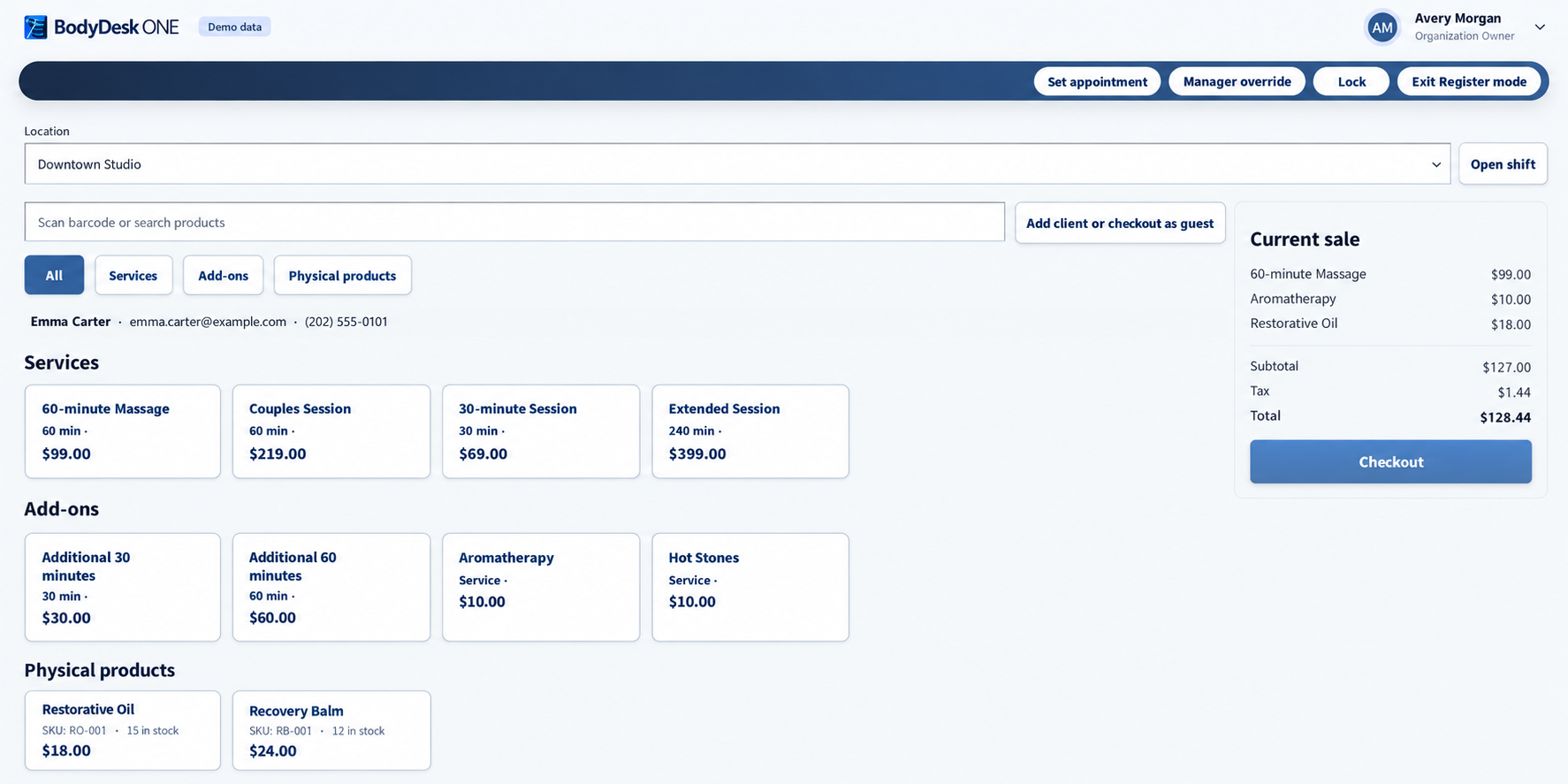
Maintain a service catalog and register products with variants, SKUs, prices, and stock levels. Track inventory quantities and adjustments by location, with stock movements recorded when products are sold.
Team communications
Use staff messaging threads and assignment alerts to coordinate handoffs. Connected email, SMS, and voice services extend the communications workspace according to your business's configuration.
Locations and access controls
Organize locations, teams, and divisions within one business workspace. Role-based permissions control which records and operational actions each staff member can access.
AI-assisted follow-up
With a configured AI provider, staff can request lead assessments and follow-up drafts. Review the suggested next steps and messages before using them in customer conversations.
Connect the work performed to the money behind it.
BodyDeskOne keeps financial and payroll activity close to the client, appointment, location, and team information that gives the numbers meaning.
Connected Stripe payments
Generate checkout links for customer invoices and service charges when Stripe is connected and enabled. Track checkout status and keep payment records tied to the customer and work involved.
Invoices and payment records
Create invoices, generate invoice PDFs, and send them through configured email services. Record cash and prior payments, review transaction history, and handle supported corrections and refunds.
Point of sale
Bring products, services, member benefits, and payment activity into register workflows. Completed product sales update stock records so checkout stays connected to inventory.
Membership billing
Keep membership plans and recurring billing activity close to the client relationship. Payment-provider setup and the configured plan determine how subscription payments are handled.
Timekeeping and payroll preparation
Keep workforce time records and compensation information in the same platform. Give managers the supporting activity they need to review payroll-related workflows.
Compensation and commissions
Manage compensation information and commission records alongside workforce activity. Commission slips and staff acknowledgments provide a clearer record for review.
Benefits administration records
Organize workforce benefit information and create benefit exports. Keep benefits-related administration alongside the staff records it supports.
Expenses, vendors, and accounting review
Track vendors, bills, expenses, and ledger entries in the financial workspace. Document intake, bank review, and accounting-close workflows help organize the records behind financial decisions.
Financial visibility by location
Review financial summaries and location-level activity without losing access to the related invoices, payments, and service records. Follow the numbers back to the work behind them.
Turn daily activity into a reliable business record.
BodyDeskOne keeps reporting and documents connected to the same operational system your team uses every day, making the information easier to understand and act on.
Operational dashboards
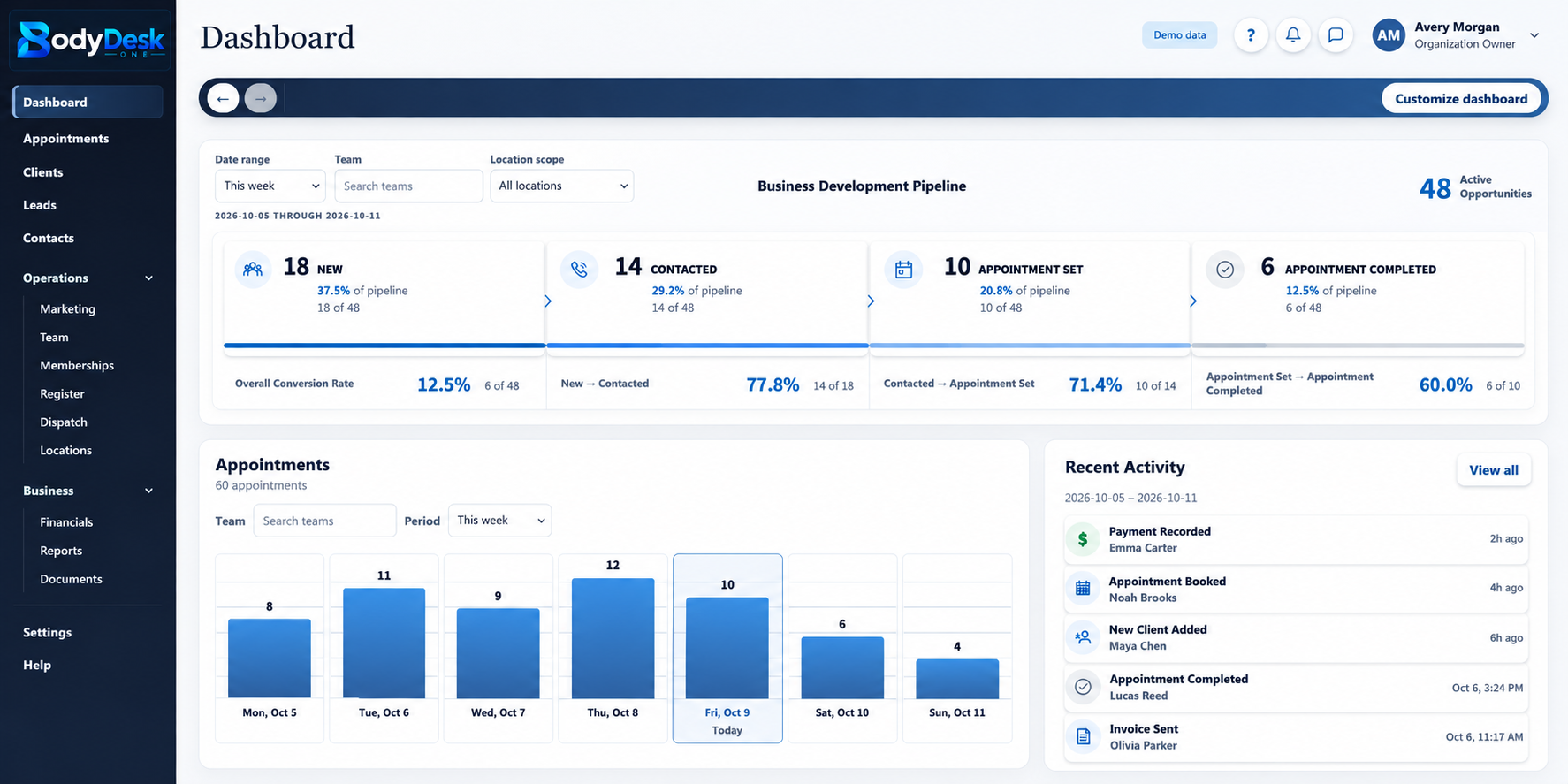
Review appointments, requests, active work, and completed activity from a shared starting point. Date and location scopes help managers focus on the operation they are reviewing.
Business performance indicators
Review operating and financial KPIs, trends, and the records supporting a metric. Role-based reporting helps staff focus on the information relevant to their responsibilities.
Custom metrics and snapshots
Define organization-specific KPI labels, formulas, thresholds, and dashboard visibility. Daily snapshots support comparisons across reporting periods.
Client and staff documents
Keep supporting documents linked to customer and employee records. Staff can locate the material relevant to a relationship without searching through separate personal folders.
Contracts and milestones
Manage agreements and track milestones such as sending, signing, expiration, and renewal. Electronic-signature workflows depend on the connected signature service and its configuration.
Communication and activity history
Review shared notes, customer conversations, and employee history where the relationship is managed. Keep context available when staff change or responsibility passes to another team member.
Financial and inventory records
Retain invoices, payments, ledger entries, and stock movement records in the same operational environment. Review the underlying activity when reconciling a transaction or inventory change.
Exports and record management
Use the platform's export tools to support business review outside the CRM. Archive and restore supported records with the appropriate permissions as your client and prospect lists evolve.
Follow a relationship from the first inquiry to the appointment, the payment, and the next visit. Explore the tools that connect your customers, your team, and your business records.
Client relationships
Search client profiles and keep contact information, notes, documents and appointment history together. Manage portal access and preserve context when another team member takes over.
Manage booking requests, staff availability, services and location calendars. Track scheduled, completed, canceled, missed and no-show appointments, with rescheduling in the same record.
Assign lead owners, organize pipeline stages and keep tasks, due dates and conversation notes beside each opportunity. Convert prospects to clients with duplicate checks and merge tools.
Keep connected communication history close to the client or lead. Coordinate thread ownership and responses from a shared workspace. Delivery and calling depend on configured providers and channel permissions.
Organize campaigns, audiences and outreach. Record the source, market and campaign behind an inquiry so your team can follow the relationship from marketing activity into sales.
Keep employee and contractor profiles, shifts, availability and time-off information together. Organize teams and locations, control access by role and retain supporting workforce documents.
Bring services, products, prices, member benefits and payment activity into point-of-sale workflows. Maintain SKUs, variants and location stock levels, with stock movements recorded when products are sold.
Manage plans and client memberships, with configured pricing, discounts and rewards available in register workflows. Recurring payment behavior depends on the plan and payment-provider setup.
Organize invoices, payments, expenses, vendor bills and ledger activity. Review compensation, commissions, time records and benefits information alongside the staff and service activity behind them.
Review operational and financial activity by date, team and location. Use custom KPI definitions, daily snapshots and export tools to support business reviews and follow a number back to its records.
Link supporting documents to clients and staff. Track agreement milestones such as sending, signing, expiration and renewal. Electronic signatures depend on the connected signature service.
Connect field assignments, schedules, status updates and team conversations. Arrival and location tracking depend on enabled sessions and device permissions. Add the companion app when your operation needs it.